Transcribe Audio to Text in a Free MP3 Workspace
Use this free workspace to transcribe audio to text, preview the result, edit speaker or timestamp cues, and download clean copy.
Audio to Text Examples
More Tools
User Rating
Files Processed
Countries Served
Loved by 1 Million+ Users Worldwide








Free Audio Transcription Built for Clean Text
The workspace turns uploaded audio into editable text, so the finished transcript is easier to reuse than a raw speech dump.
MP3 transcription with preview
Upload an MP3 and review the generated transcript before you copy, download, or shape it into notes, captions, articles, or summaries.
Editable audio to text converter
Correct names, trim filler words, split paragraphs, and polish the transcript without moving into a heavy document editor.
Speaker and timestamp cues
Keep speaker labels and timestamp cues when they help you scan the recording, quote a moment, or prepare subtitle work.
Manual Transcription Slows Down Audio Work

Replaying audio breaks concentration
A preview-first transcript lets you read the recording quickly, then return to the audio only when a phrase needs checking.

MP3 files need a clearer endpoint
MP3 transcription should end with usable text, not just a converted file you still need to repair line by line.

Raw speech is hard to reuse
Clean paragraph breaks and editable text make spoken ideas easier to turn into notes, posts, outlines, captions, and records.

Privacy and rights need plain answers
Upload audio you own or have permission to use, keep the transcript workflow private, and rely on file availability for up to 1 day.
How to Transcribe Audio to Text in 3 Steps
Add an MP3, WAV, M4A, AAC, FLAC, MP4, or MOV file, or record directly when the browser recorder is available.
Review the generated text, correct obvious mistakes, adjust speaker or timestamp cues, and clean paragraphs before saving.
Copy or download the transcript for notes, articles, captions, summaries, subtitle workflows, or searchable audio records.
Who Uses This Transcript Workspace

Content repurposers
Content repurposers can turn voice clips, webinars, and recorded ideas into quotes, outlines, captions, and article drafts.
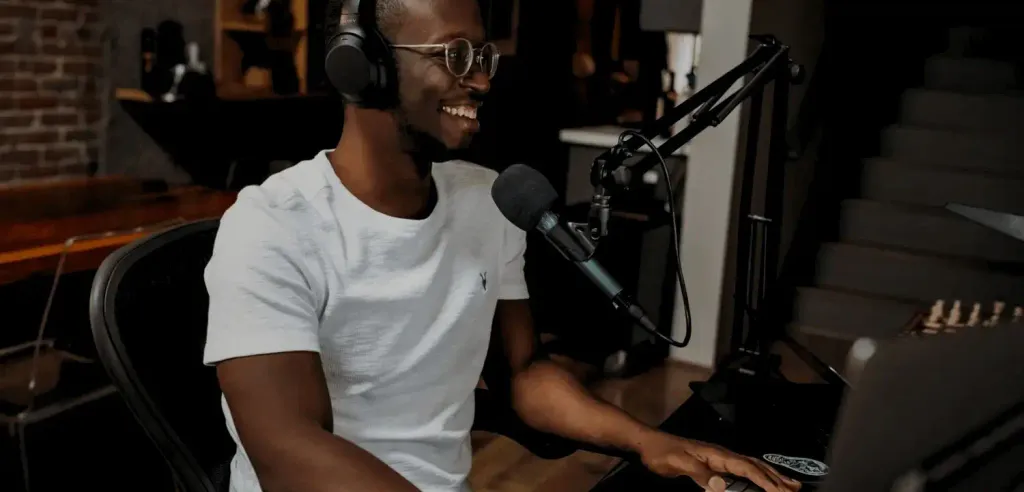
Interview researchers
Interview researchers can scan speaker cues, search key moments, and keep cleaner notes from long conversations.
Caption writers
Caption writers can use timestamps as a starting point before shaping transcript text into subtitles or social clips.
Knowledge teams
Knowledge teams can convert recorded updates, training audio, and support calls into readable text for shared reference.
Why Use This Free Audio to Text Converter
Transcript preview before export
See the transcription result before you save, so you can decide whether the text needs edits, speaker cues, or timestamp cleanup.
Edit text instead of retyping
Replace manual typing with a faster review workflow that keeps you focused on corrections rather than full transcription.
MP3 and common audio support
Use MP3, WAV, M4A, AAC, FLAC, and common video files when you need audio transcription free from format friction.
Speaker and timestamp guidance
Speaker labels and timestamp cues help keep long recordings organized when the transcript needs structure.
Privacy-aware file handling
Browser-based upload and file availability for up to 1 day keep the transcript process straightforward and easier to trust.
Responsible reuse reminders
Use source audio you own or have permission to transcribe, especially when transcripts may be published, shared, or used commercially.
What Users Say About the Transcript Workspace







FAQ
Yes. Use the free transcribe audio to text workflow to upload audio, preview the transcript, edit it, and copy or download the clean text.
You can upload MP3, WAV, M4A, AAC, FLAC, MP4, or MOV files, with MP3 transcription kept simple for common recordings and saved voice files.
Yes. It is an audio to text converter that turns speech from uploaded audio into editable transcript text you can review before saving.
Yes. The transcript preview helps you check accuracy, paragraph flow, speaker cues, and timestamps before you keep the final text.
Speaker and timestamp cues can be kept when they help you follow the recording, quote a moment, prepare captions, or organize long audio.
Yes. Registered users get a certain amount of free quota, which is generally enough to use for quite a long time.
Yes. You start with AI-generated text, then review and correct it, which is usually much faster than replaying audio and typing every sentence.
Uploaded files are available for up to 1 day, and the browser-based workflow is designed to keep transcription simple and private.
Commercial use depends on your rights to the source audio, the product terms, and the rules of the platform where you publish or share the transcript.
Use the clean text for notes, articles, captions, summaries, searchable records, subtitle preparation, or any workflow that starts from spoken audio.
I uploaded an MP3 interview, previewed the transcript, and cleaned the speaker turns before sending my notes.
The preview saved me from typing a full webinar by hand. I fixed names and downloaded clean text in one pass.
This audio to text converter gave me a workable transcript from a training recording without making me learn editing software.
The timestamp cues made it easier to find the exact part of the audio I wanted to quote.
I needed audio transcription free for a batch of voice notes, and the edit-before-download workflow felt much faster.
For MP3 transcription, the best part was seeing the result first and fixing small mistakes before I copied it into my brief.