Free AI Mashup Maker Online
Use AI Mashup Maker to upload two songs, align BPM and key, preview a blended draft, regenerate the mix, and download your mashup.
More Tools
User Rating
Files Processed
Countries Served
Loved by 1 Million+ Users Worldwide








Features That Make Mashup Creation Easier
The feature set focuses on the steps people expect from a modern song mashup maker: clean inputs, smart alignment, fast previews, and useful exports.
BPM and key alignment in AI Mashup Maker
AI checks rhythm, tempo, and key so two songs can meet in a smoother musical range without manual beat grids or pitch tools.
Stem-aware blending for ai song mashup maker
Blend vocals, drums, bass, hooks, or instrumental layers so the mashup feels arranged instead of simply stacked together.

Preview and regenerate controls in AI Mashup Maker
Listen before export, then regenerate a different direction when you want a tighter chorus, cleaner vocal lead, or stronger drop.
Song Mashups Take Too Long by Hand

Two songs do not line up naturally
BPM and key differences can make a manual mix sound rushed, muddy, or off-pitch before the creative idea has a chance to work.

The first blend is not always the best
Regeneration gives you another arrangement path without starting from scratch, so you can compare versions faster.

Vocals and instrumentals fight each other
Stem-aware blending helps place a vocal, beat, bassline, or hook where it has room instead of forcing every layer to compete.

Downloading too soon can waste time
Preview-first creation lets you hear the mashup before saving, which is faster than exporting repeated manual drafts.
How to Create a Song Mashup in 3 Steps
Upload two audio files, such as MP3 or WAV, to AI Mashup Maker and choose the tracks you want to combine.
The music mashup maker analyzes BPM, key, structure, and stems, then creates a draft that combines musical parts from both songs.
Listen to the result, regenerate another version when the direction needs changing, then download the finished audio file for your next step.
Who Can Benefit from Our AI Mashup Maker

Music experimenters
Music experimenters can use a free mashup maker to test whether two tracks, melodies, or hooks belong together before spending hours editing.

Short-form video creators
Video creators can make a quick song mashup draft, preview the energy, and download an audio idea for editing with permission-cleared music.

DJ set planners
DJ set planners can use AI Mashup Maker to explore transitions, chorus pairings, and vocal-over-instrumental ideas before building a full set.
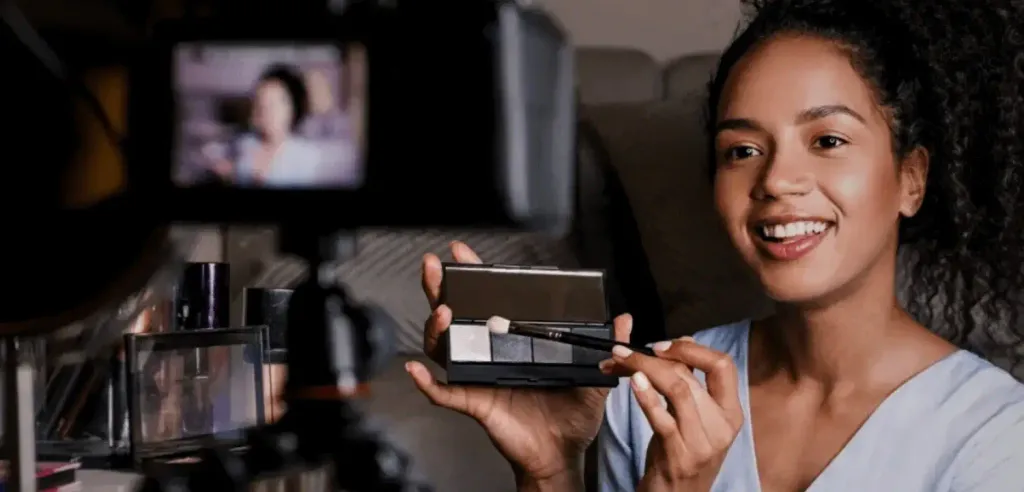
Songwriters and producers
Songwriters and producers can use an ai song mashup maker to hear contrast, structure, and arrangement ideas from two source tracks.
Why This Mashup Workflow Feels Faster
Preview before export
Hear the mashup draft before download so you can decide whether the blend is worth keeping.
Regenerate alternate blends
Try a new creative direction when the vocal placement, drop, hook, or energy curve needs a different feel.
No heavy manual software
Replace beat-matching, stem setup, timeline editing, and repeated exports with a focused browser-based workflow.
Vocal and instrumental role control
Use AI to balance vocals, beats, bass, and instrumental parts so each song contributes a clear role.
Rights-aware creation guidance
Upload music you own, created, licensed, or have permission to use; commercial publishing depends on your source rights, AudioCleaner terms, and platform rules.
Free online mashup workflow
Start with a free AI Mashup Maker online, test an idea quickly, and download a result when the preview sounds ready.
What Users Say About AI Mashup Maker







FAQ
An AI Mashup Maker combines parts of two songs by analyzing tempo, key, structure, and stems, then creating a blended audio draft you can preview.
Yes. You can start with a free AI Mashup Maker online, upload tracks, preview the generated blend, and review download options after the result is ready.
Yes. The song mashup maker is designed for two-track creation, so you can add two audio files and let AI build a shared rhythm and arrangement.
Clear MP3 or WAV files with steady timing, recognizable vocals, and clean instrumentals usually give the music mashup maker more useful material to blend.
Yes. Previewing is part of the workflow, so you can hear the mashup, decide whether it works, regenerate a new version, and then download.
Manual editing often requires beat grids, key shifting, stem separation, timeline cuts, and repeated exports. AI Mashup Maker handles the first alignment and draft faster.
Yes. Regeneration helps you try another blend direction, such as a different vocal lead, hook balance, or energy curve.
Commercial use depends on the music you upload, your licenses or permissions, AudioCleaner terms, and the rules of the platform where you publish.
Use source music you own, created, licensed, or have permission to use. Uploading a copyrighted song does not automatically grant distribution or monetization rights.
Uploaded tracks are processed for the mashup workflow and are not posted publicly by the tool; use permission-cleared material and manage your files from the upload and export controls.
I tested two chorus ideas in minutes and only downloaded the version that actually felt musical.
The preview step saved me from exporting five bad drafts from my usual editor.
I used the free mashup maker to hear whether a vocal worked over another instrumental before opening my DAW.
The regenerate option helped me find a cleaner drop without rebuilding the whole mix.
AI Mashup Maker gave me a quick starting point for a set transition, then I refined it later.
I liked that it reminded me to think about rights before sharing the finished audio.
The stem-aware blend made the vocal easier to hear than my first manual attempt.
I uploaded two MP3 files, previewed the mashup, and downloaded a version for a private practice edit.
This song mashup maker is useful when I need to compare ideas fast, not build a full production session.
The workflow feels simple: add tracks, let AI line them up, listen, regenerate, and keep the best one.