Free AI Karaoke Maker Online


Use this karaoke maker to turn an MP3, video, or YouTube link into a vocal-reduced karaoke track or lyric video you can preview before saving.
Supports MP3, WAV, M4A, M4B, ACC, M4P, M4R, OPUS, OGG, FLAC, AIF, AIFF
More Tools
User Rating
Files Processed
Countries Served
Loved by 1 Million+ Users Worldwide








Source-Flexible Karaoke Creation
This karaoke maker online brings common song sources, vocal reduction, lyric preparation, and output choice into one focused workspace.
MP3 to karaoke conversion
Upload a song file and create a clean backing track that keeps the music bed while lowering the lead vocal for practice or recording.
YouTube to karaoke workflow
Paste a YouTube link you have the right to use, preview the separated result, and turn the source into karaoke audio or a lyric video.
Karaoke video maker with lyric timing
Add or review lyrics, adjust timing, choose a visual background, and save a karaoke video that is easy to follow on screen.
Karaoke Prep Should Not Need a Studio

The original vocal dominates the track
AI vocal reduction lowers the main singer so your own voice has room while the instrumental part still feels familiar.

Lyrics drift away from the beat
Lyric recognition and timing review help you prepare readable words before exporting a karaoke video.

Songs come from different places
Use uploaded audio, video files, or YouTube links in one karaoke maker online instead of switching tools for each source type.

Practice and sharing need different files
Save audio-only karaoke for singing practice, or create a video result when lyrics and visuals matter.
How to Make Karaoke Online in 3 Steps
Upload MP3, WAV, FLAC, M4A, or video files, or paste a YouTube link that you own or have permission to use.
Let the AI karaoke maker reduce the lead vocal, then listen to the backing track and check whether the mix supports singing.
Review recognized lyrics, adjust timing, regenerate the result when needed, and save the audio or karaoke video output.
Ways to Use the Karaoke Maker

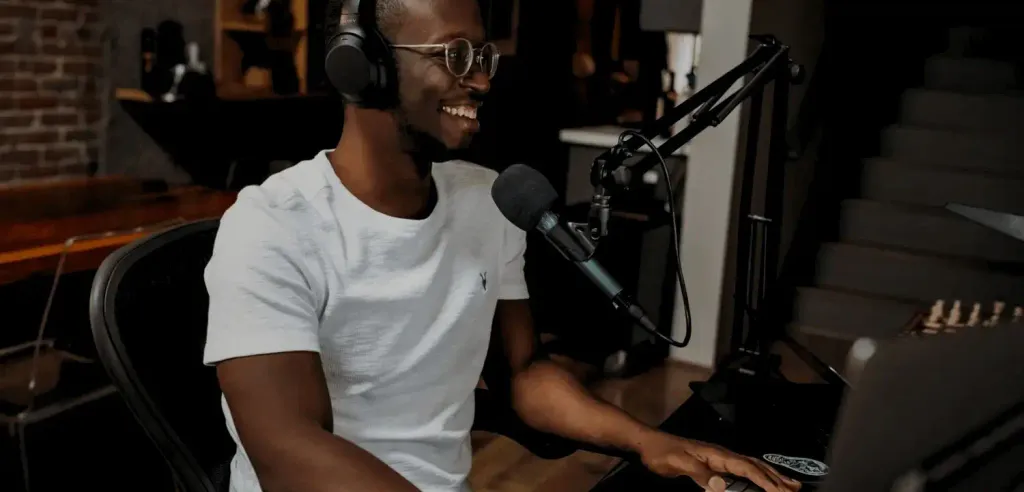
Practice singers
Make a backing track from an MP3 and repeat difficult sections without the original lead vocal taking over.
Cover recorders
Prepare a vocal-reduced instrumental before recording your own take, then keep the version that best supports your voice.
Karaoke hosts
Create karaoke videos with readable lyrics and a simple background so groups can follow the song more easily.
Music teachers
Turn lesson songs into audio or video practice material with lyric guidance, preview control, and quick browser access.
Why Choose This AI Karaoke Maker
MP3, video, and link input
Bring common audio formats, video files, or YouTube sources into one karaoke maker instead of preparing each format separately.
Preview before download
Listen to the karaoke result and review the lyric video before saving, so the final file matches the way you plan to sing or share it.
Regenerate when the mix needs another pass
Try another AI pass when the first vocal-reduced version still leaves too much lead voice or loses too much musical detail.
Audio or karaoke video export
Keep a lightweight audio track for rehearsal, or save a karaoke video with lyrics and a visual background for group playback.
Lyric recognition and timing review
Recognized lyrics give you a faster starting point, while timing review helps make the on-screen guide easier to follow.
Private upload handling
Uploaded files are available for up to 1 day, giving you a clearer path from source upload to finished karaoke output.
What Users Say About Karaoke Maker







FAQ
This karaoke maker creates vocal-reduced karaoke tracks and lyric videos from supported audio, video, or YouTube sources.
Yes. Registered users get a certain amount of free quota, which is generally enough to use for quite a long time.
Yes. Upload an MP3, preview the AI vocal reduction, adjust lyrics when needed, and save an audio-only karaoke track or video version.
Yes. Paste a YouTube link you own or have permission to use, then create a vocal-reduced karaoke result with optional lyric video output.
The AI analyzes the mix and reduces the lead vocal while preserving as much of the instrumental bed as possible for singing.
Yes. The karaoke video maker can pair your track with reviewed lyrics, timing controls, subtitles, and a background for sing-along playback.
Yes. Preview the karaoke output before saving and regenerate when the vocal balance or music detail needs another pass.
Clear stereo songs with a centered lead vocal usually produce the strongest karaoke result; heavily layered vocals or live mixes can leave more artifacts.
Use songs, links, and media you own, created, licensed, or have permission to use. Commercial use depends on your source rights, product terms, and destination platform rules.
Uploaded files are available for up to 1 day, so you have time to review your source material and download the result.
I pasted a rehearsal link, previewed the backing track, and had a cleaner version ready before practice.
The MP3 to karaoke workflow saved me from opening a DAW just to make a simple practice track.
Being able to check the lyrics before export made the karaoke video much easier to use with a group.
I liked that I could regenerate the mix instead of settling for the first vocal reduction.
The YouTube to karaoke option helped me turn a permitted backing source into a lyric video without extra editing apps.
Audio-only output worked for solo practice, and the video version worked when I needed everyone to follow along.
This karaoke maker online felt direct: upload, preview, adjust lyrics, save. Nothing got in the way.
The lyric timing tools gave my students a clearer visual guide than a plain instrumental track.
I used the karaoke video maker to prepare a birthday playlist with readable words and simple backgrounds.
The free preview step helped me decide which songs were worth exporting before I spent time polishing lyrics.